
Have you ever experienced the error “The remote library is not reachable” while configuring the Subscribed Content Library?
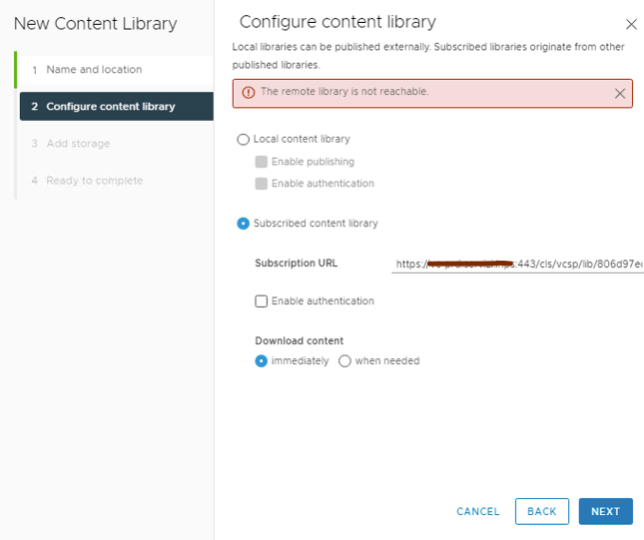
It could be the proxy server preventing the communication with the Target vCenter where the primary Content Library is configured. In such a case, you can fix the issue with one of the two easy methods.
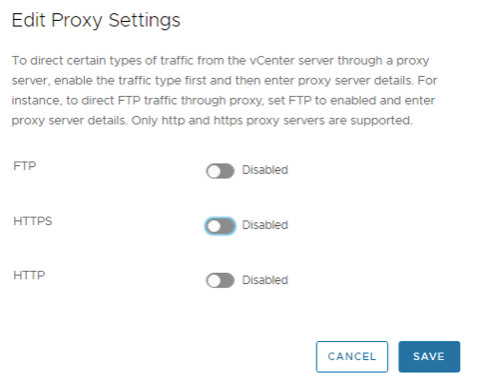
Disable Proxy
- Log in to the vCenter VMI console https://fqdn:5480
- Go to Networking – > Under proxy settings, click on EDIT
- Tun off Proxy and Save
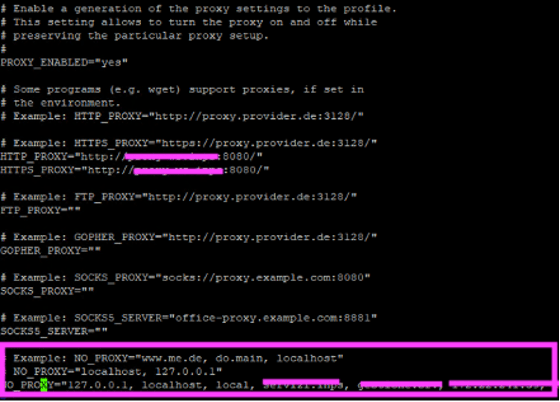
Add the Primary vCenter to the NO_PROXY list in /etc/sysconfig/proxy
- Take an SSH session to your vCenter using “Putty”
- Edit the proxy configuration file using “vi” #vi /etc/sysconfig/proxy
- Add the target vCenter to the NO_PROXY section.
- Save the changes “wq!”
Now you should be able to configure the subscribed content library and sync the templates without error. Hope it helps.


Leave a Reply