

In this section, we are briefly discussing how to configure log forwarding in NSX-T Manager using Postman. This is the easiest method when it comes to a large environment where you have multiple NSX-T Managers and Edge nodes. Follow the below steps carefully.
Open the Postman application in your local system.
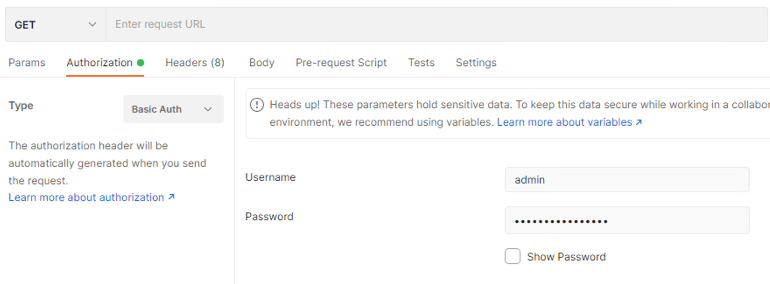
- The first thing you need to do is configure the Authentication: Go to the Authorization tab -> Select Basic Auth from the drop-down next to “Type” – > Enter the username and password of the NSX-T Manager
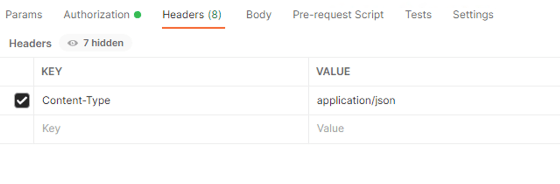
- On the Header tab, Enter the following
- Key Content-Type
- Key Value application/json
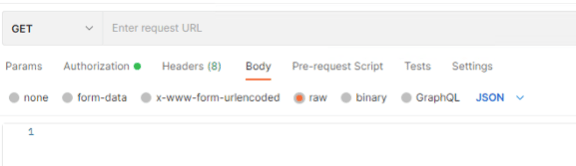
- On the Body tab, select the raw radio button and from the Text drop-down menu, select JSON
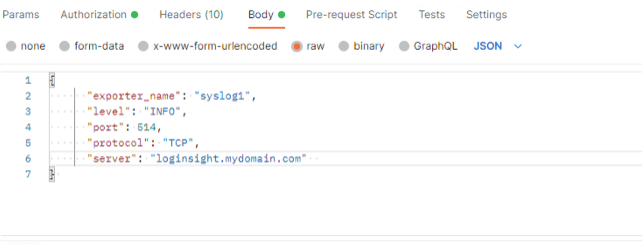
- In the Body Text box, enter the following to request body to configure the vRLI as a remote syslog server.
- Make sure in the “sever” section you provide your log insight FQDN.
{
“exporter_name”: “syslog1”,
“level”: “INFO”,
“port”: 514,
“protocol”: “TCP”,
“server”: “loginsight.mydomain.com”
}
- Send the request to each NSX-T Manager
- In the request pane, provide the URL query for the NSX-T Manager and click Send.
- Select POST as the HTTP request method
- Ensure you are entering your NSX-T manager FQDN or IP Address correctly. URL: https://nsxmanager01.mydomain.com/api/v1/node/services/syslog/exporters
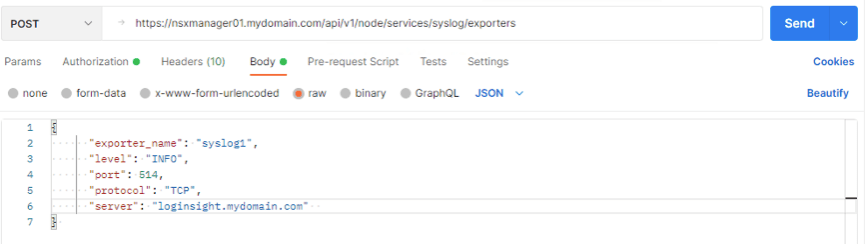
- Repeat this step by sending the log configuration request to the URL of each of the remaining NSX-T Managers.
- Verify the Syslog configuration on each NSX-T Manager
- In the request pane, configure the following settings and click send.
- HTTP Request Method : GET
- URL: https://nsxmanager01.mydomain.com/api/v1/node/services/syslog/exporters
- Select none radio button in the Body Tab
- When the NSX-T Manager appliance sends a response back, on the Body tab, you see the following message.
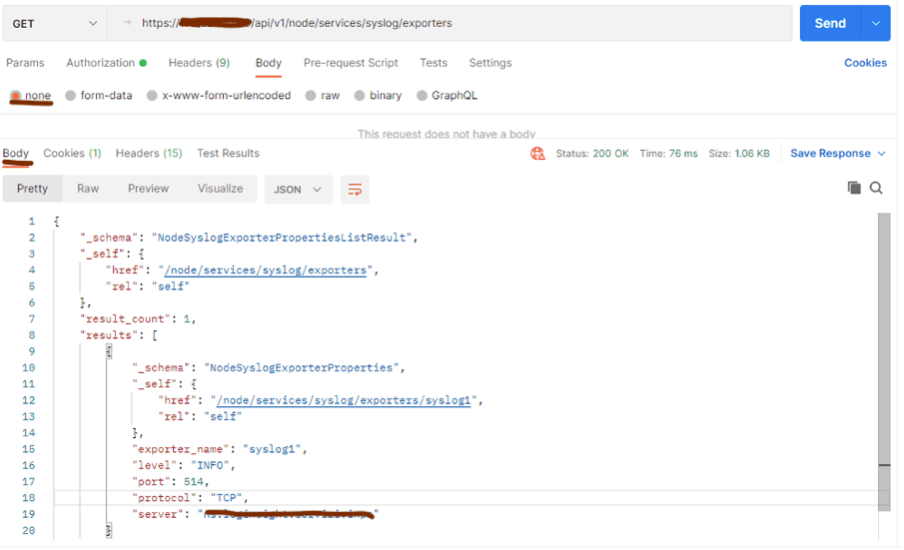
- Verify that the value of the server element is your log insight FQDN
- Repeat this step by sending the log verification request to the request URL of each of the remaining NSX-T Managers.
- Verify that logs are received in vRealize Log Insight Dashboards and Interactive Analysis sections.
This way you will save a lot of time when compared to configuring the log forwarding manually in each NSX-T environment. Thanks for reading.


Leave a Reply