
Here is a unique situation to integrate vRA with vROps when using vIDM for SSO. You would have already Integrated vRA and VROPS with vIDM and used vIDM as Authentication Source. To confirm, you can log in using the service account to vRA and vROPS using VMware Identity Manager as auth source.
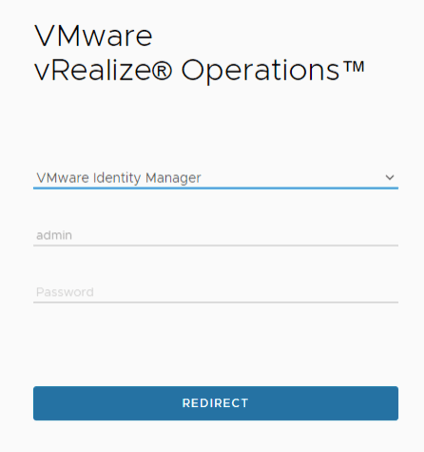
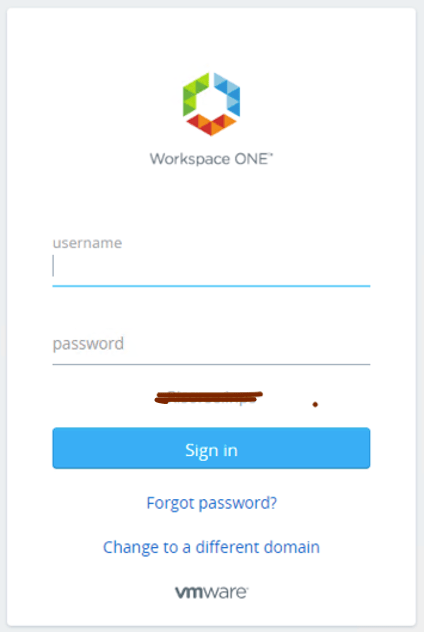
Ensure the service account is added to the vIDM and appropriate permission is given in vRA and VROPS.
To Integrate vRA with vROPS, Log in to vRA and go to Cloud Assembly->Infrastructure -> Integrations. Click on Add Integration and select vRealize Operations Manager.
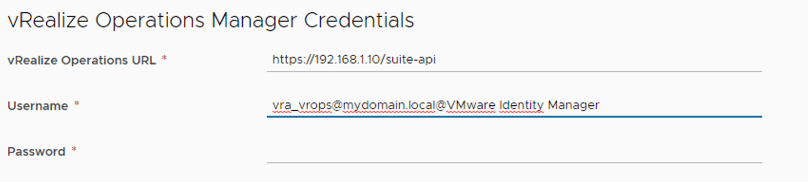
Enter the name of your vROps environment. on the vRealize Operations Manager Credentials section enter the vROPS URL Eg: https://192.168.1.10/suite-api . FQDN or IP Address works here. The username format is username@domain@WorkspaceONE as per VMware documentation but you will end up getting an error like below.
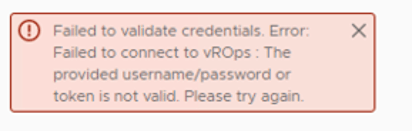
To remediate the issue, “WorkspaceONE” should be replaced with the Source Display Name of vROPS Authentication Source. As you can see I have used “vra_vrops@mydomain.local@VMware Identity Manager” in the below screenshot.
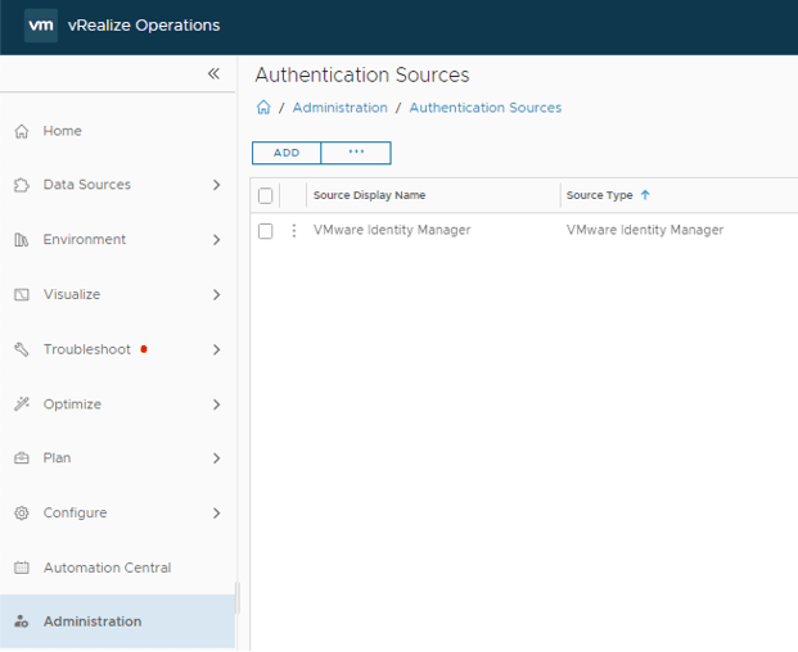
To know the vROPS Authentication Source display name, Log in to vROPS and go to Administration -> Authentication Source.
Enter the username in the above format, password. You can see the validation is successful.
This is mentioned in the VMware documentation but less clear in fashion. Ref: https://docs.vmware.com/en/vRealize-Automation/8.6/Using-and-Managing-Cloud-Assembly/GUID-0C20F25F-EB98-4335-9D8C-4C16BB847C37.html


Very helpful information
LikeLike
great article, thanks..
LikeLike